Metal & industrial parts
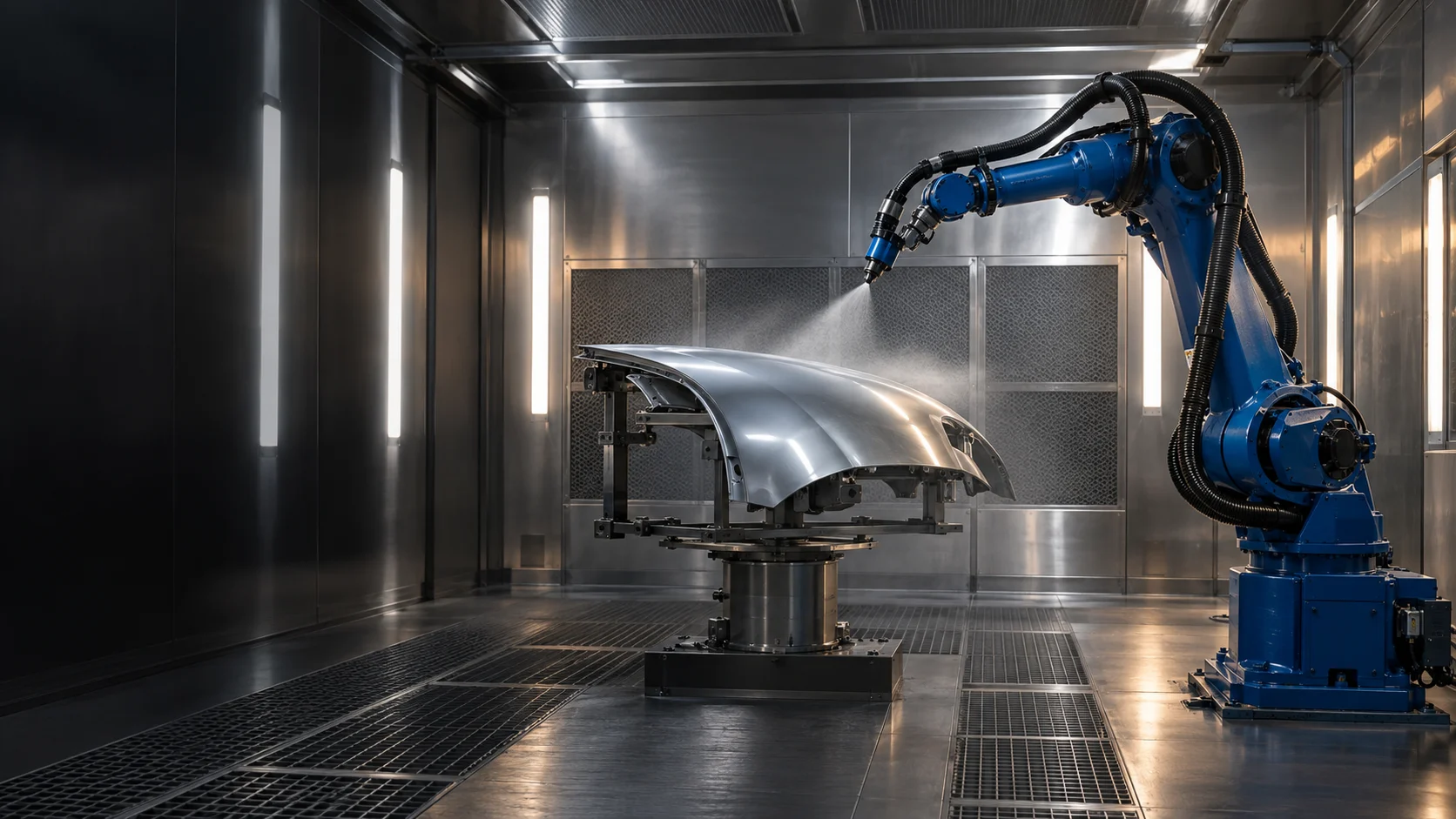
Housings, covers, flat and three-dimensional parts. Passes, radii and edge treatment matched to the part family and coating requirements.
 PRISMATEC.APP
PRISMATEC / ENGINEERING SOFTWARE
SCAN2SPRAY brings part geometry, path planning and coating simulation into one environment. The process, fixtures and robot integration are configured for a specific part family and production workflow.
01 / SOFTWARE FEATURES
Shared tools cover CAD surface selection, spray parameters, paths, successive layers and coating assessment. The guitar example shows one configuration; other part families require their own strategy, fixtures and calibration.
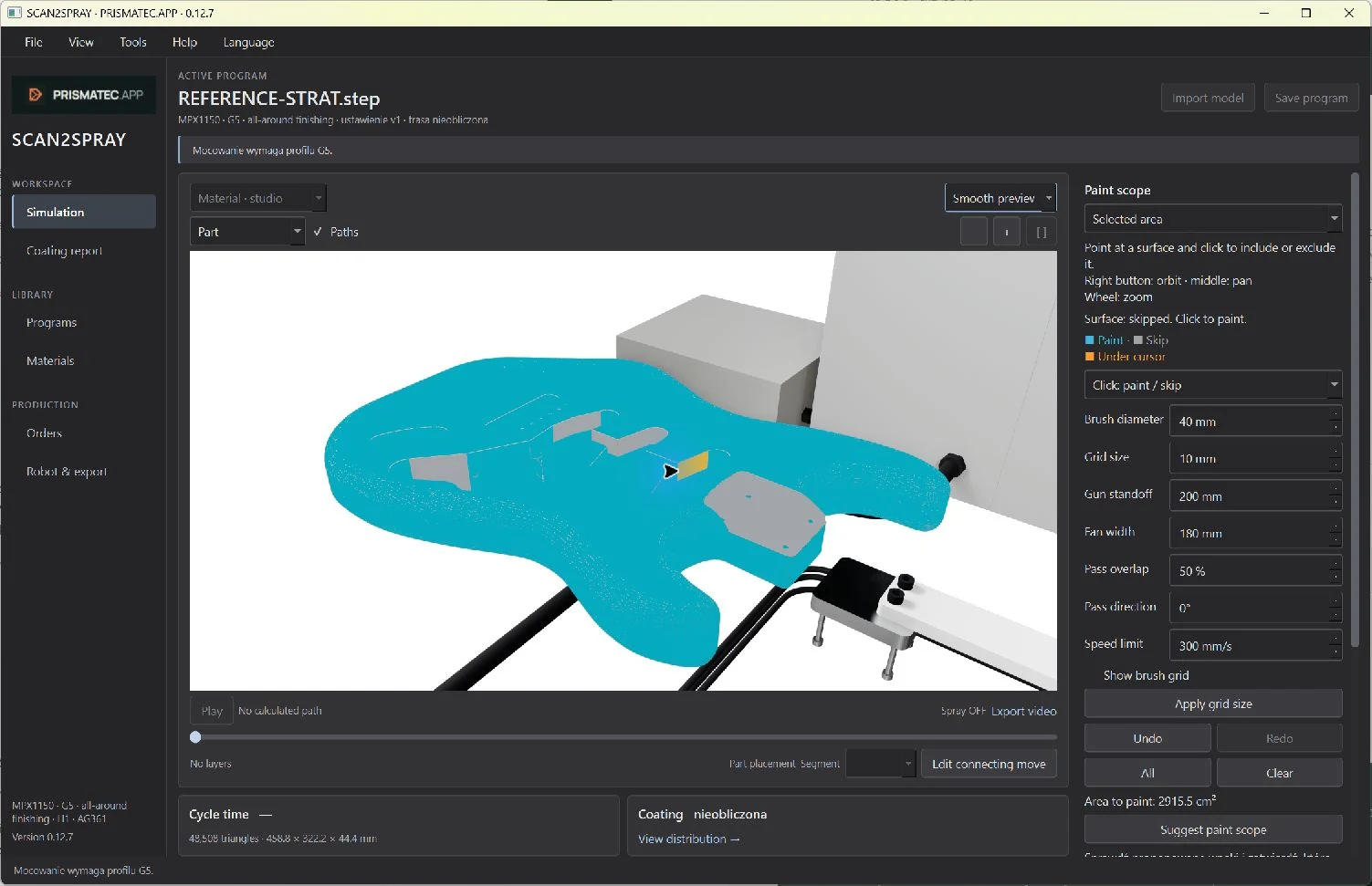
The interface is shown using a guitar body. These tools belong to the shared SCAN2SPRAY environment.
 Enlarge ↗
01 / SCAN2SPRAY
Import a STEP/STP or STL model, position the part and define the surfaces to coat. STEP models let you select individual CAD faces and exclude pockets, openings and functional areas from spray planning.
 Enlarge ↗
02 / SCAN2SPRAY
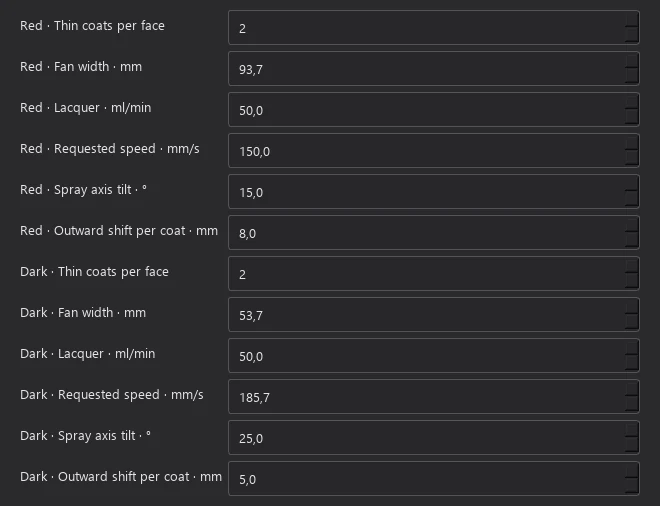
Set travel speed, coating flow, standoff, fan width and pass overlap. Select suitable sequences for faces, perimeters and shading. Motion review shows how the gun is guided relative to the part.
 Enlarge ↗
03 / SCAN2SPRAY
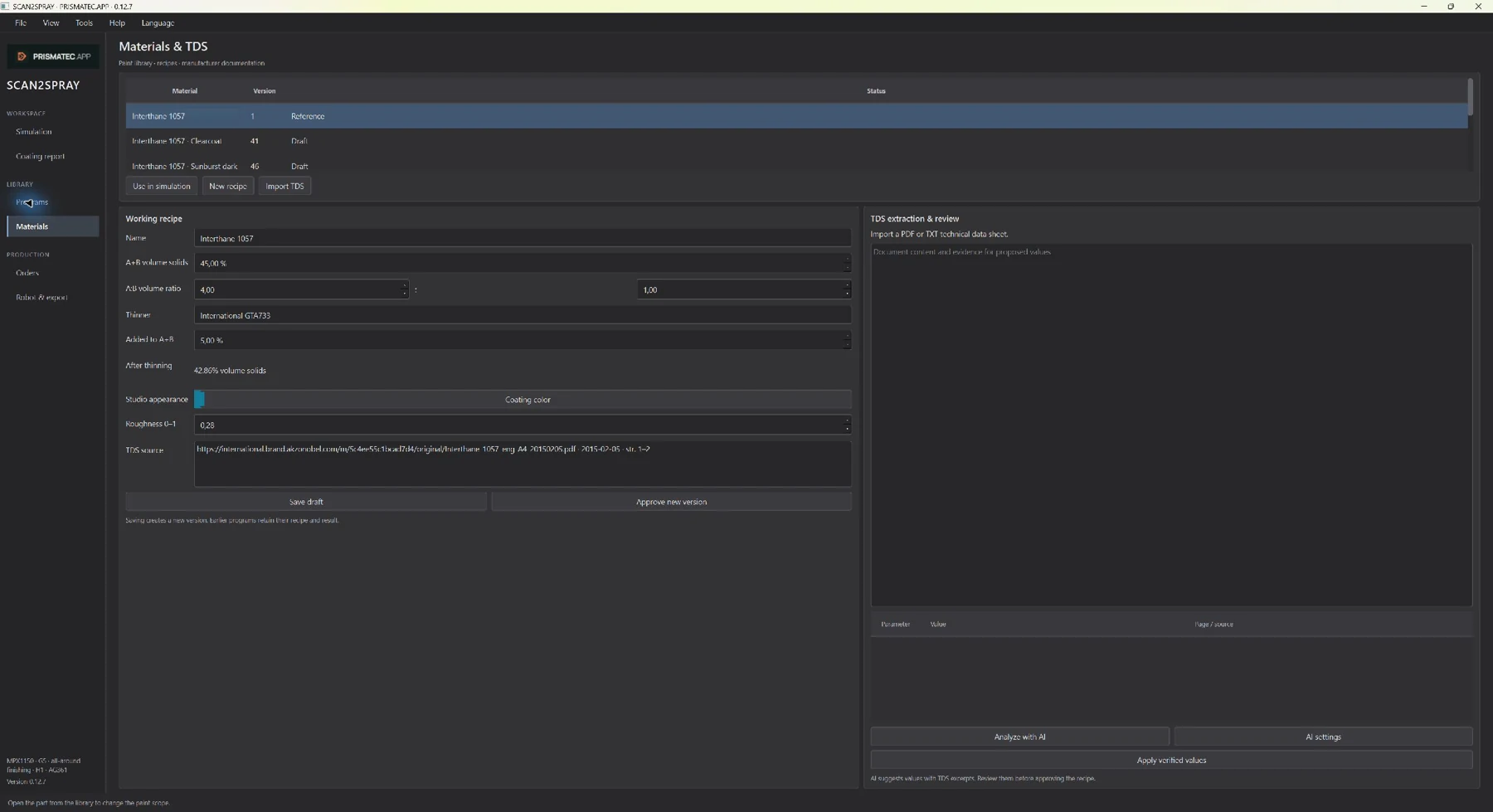
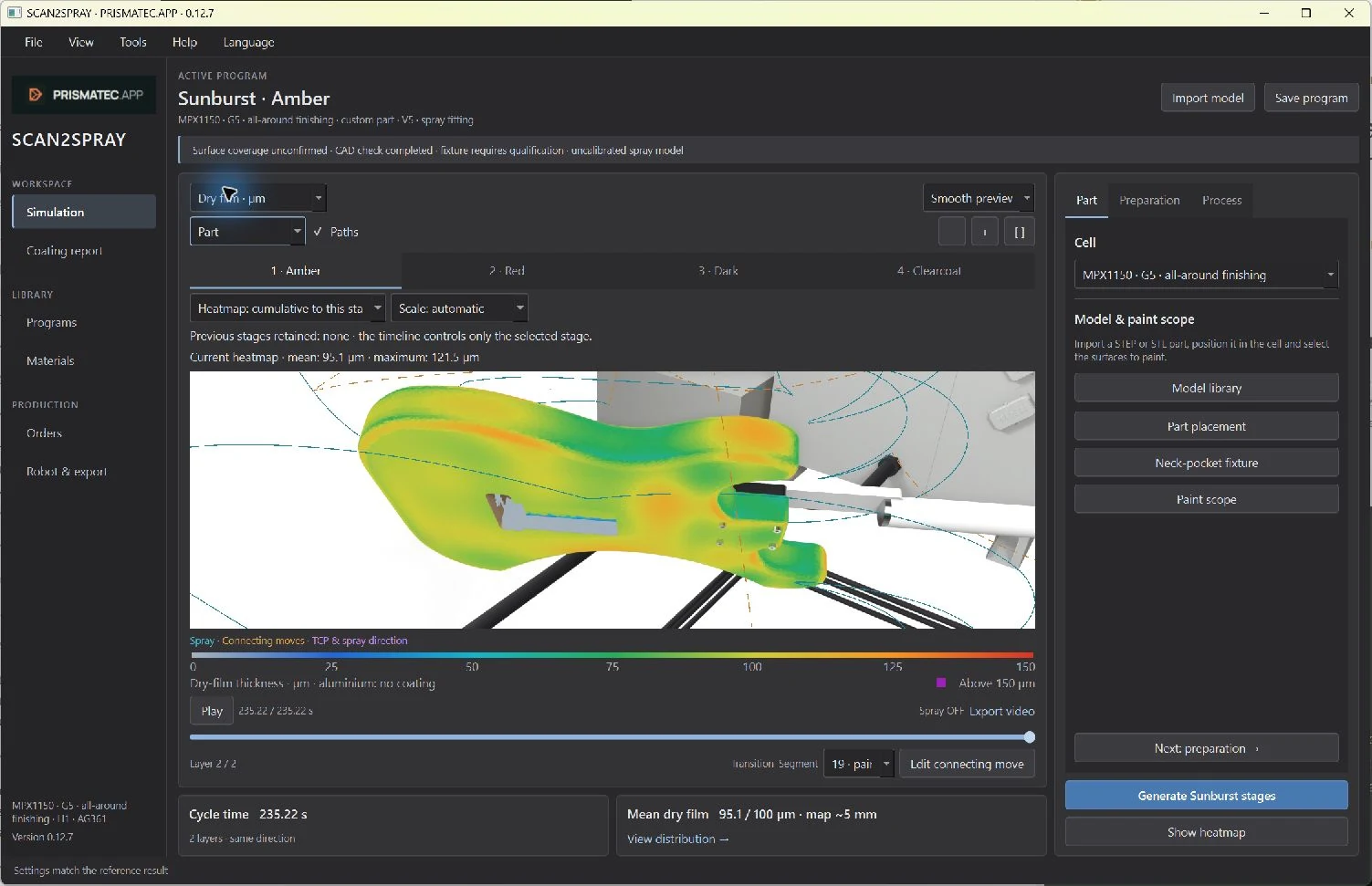
Material, mixing ratios, solids content and target film thickness provide the calculation context. In a multistage process, the base, subsequent colours and clearcoat can have separate parameters and sequences.
 Enlarge ↗
04 / SCAN2SPRAY
The heatmap shows a local prediction of dry-film thickness. Inspect faces, radii and edges against the process target. A change in parameters or paths creates a new alternative to assess.
 Enlarge ↗
05 / SCAN2SPRAY
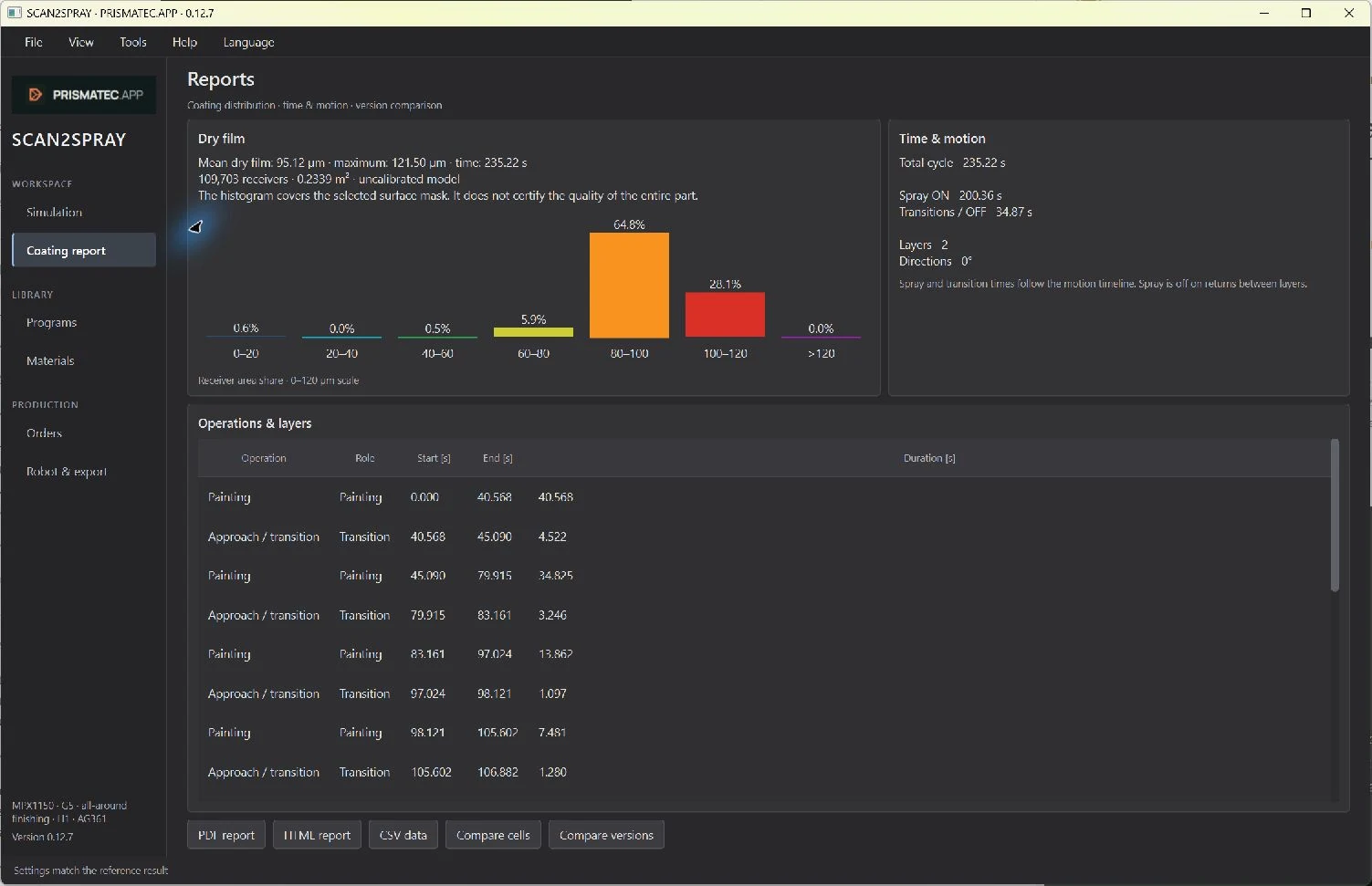
Coating reports and the program library keep results and settings organised. Return to a model, recipe and path variant for the next batch instead of reconstructing the process from memory.
 Enlarge ↗
06 / SCAN2SPRAY
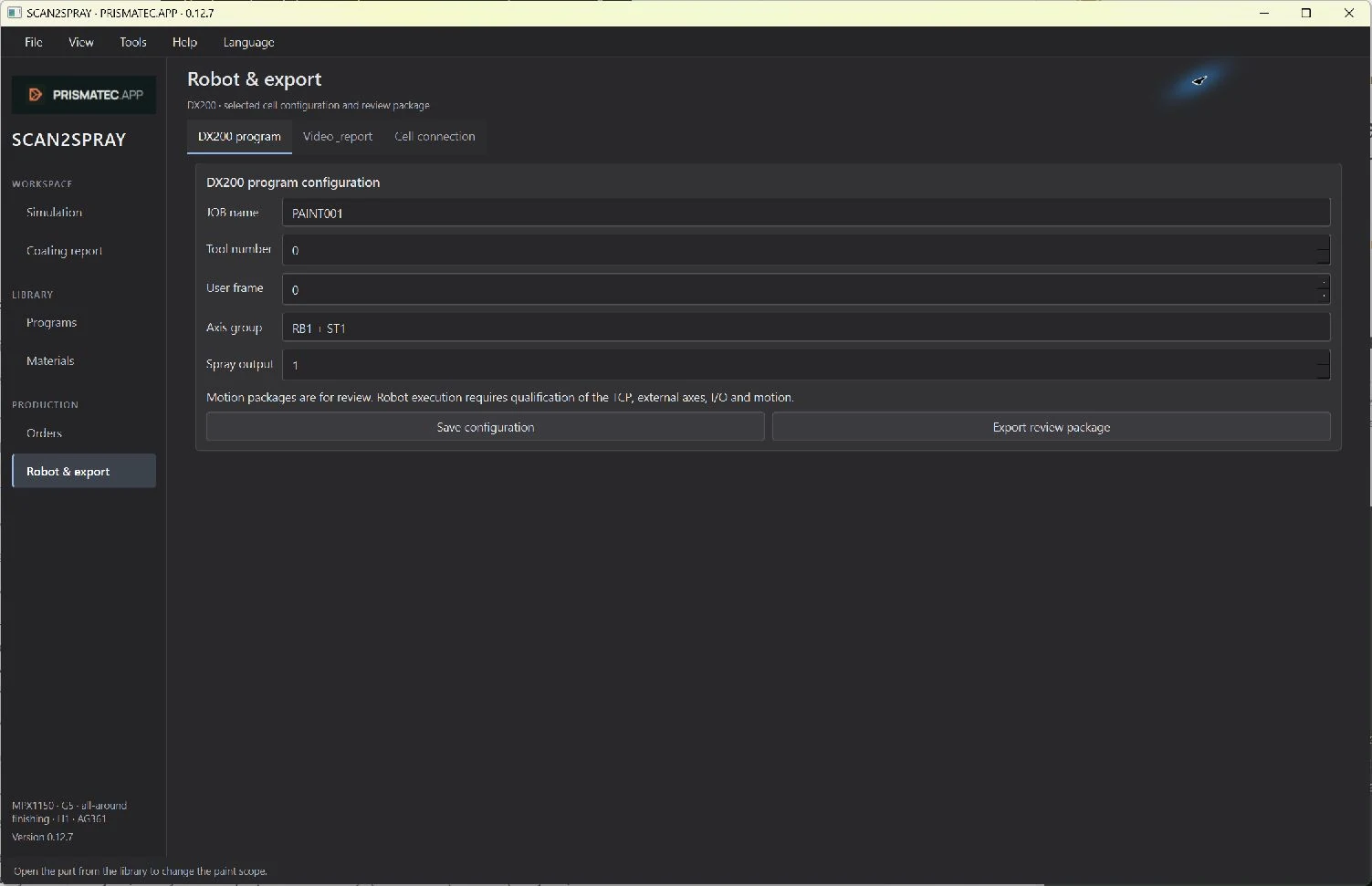
Configuration covers the robot model, tool, external axes, coordinate systems and process signals. Export and interfaces to the PLC, dosing system and transport are specified for each deployment.
02 / SPRAY MODEL
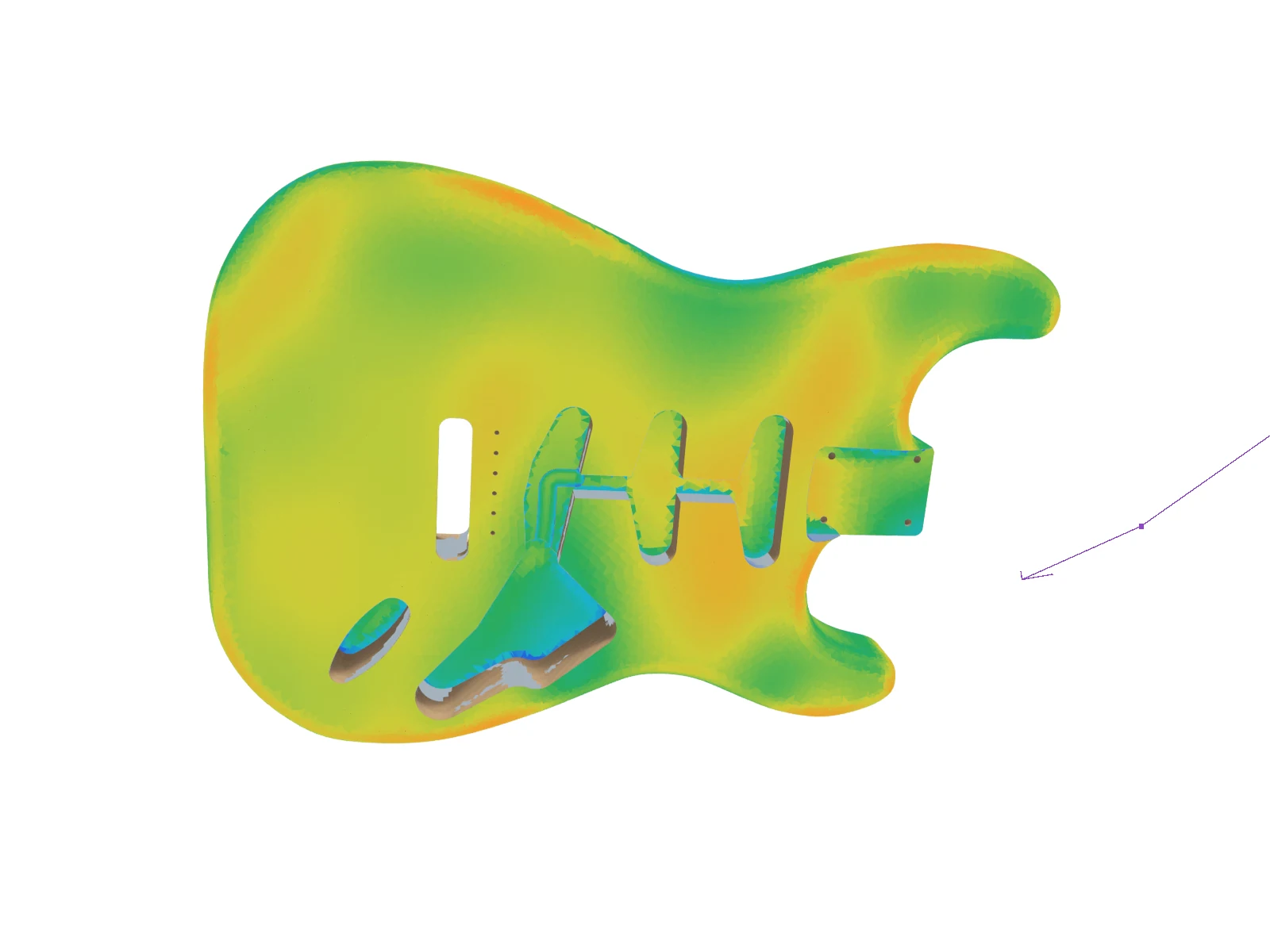
The model accumulates material deposited during successive passes. It accounts for flow, speed, standoff, incidence angle, fan orientation and surface geometry. The heatmap reveals where the plan produces a thicker or thinner coating.
During deployment, the integrator makes test sprays with the actual gun and nozzle at different settings. Scanned patterns and coating measurements are used to fit the model and verify it on a subsequent trial. Material or configuration changes trigger a further review.
Trial → scan & measurement → fitting → verification
03 / APPLICATIONS
These areas illustrate how the system can be configured. Geometry, material and coating requirements determine deployment scope; each part family requires process preparation and trials.
Housings, covers, flat and three-dimensional parts. Passes, radii and edge treatment matched to the part family and coating requirements.
Furniture elements, wooden components and instruments. Opaque coats, transparent finishes and controlled colour gradients as process configurations.
Other materials and geometries matched to a specific spray process. Scope is defined from the model, material, trials and production requirements.
04 / APPLICATION EXAMPLE
Developed with SVG Sound Research sp. z o.o., this example shows SCAN2SPRAY configured for instruments: surface selection, single-colour coating, sunburst shading and coating analysis. The same toolset provides the foundation for configurations for other parts.
Explore the Future Lab project ↗LINE CONFIGURATION
Buffering, body loading, G5 positioning, painting and outfeed. The film visualises an example integration of PRISMATEC, YASKAWA robotics and TECNOVA equipment.
YouTube ↗CAD faces, excluded pockets, paths and film-thickness distribution.
YouTube ↗Base coat, thin colour passes and optional clearcoat. Band widths, transition softness and successive stage parameters stored in the program.
YouTube ↗The films show software and simulation. Production parameters and line organisation are verified during deployment at the target installation.
05 / CONFIGURATION
Configuration follows the part and the process: robot reach, axes, fixtures, transport, dosing, colour changes and required takt. Scope is agreed with the integrator.
Robot, dedicated fixture and manual loading. A program library supports changing models and short production runs.
A rotary table, trunnion or dedicated axes expose successive surfaces. Axis count, reach and fixtures are selected for the part.
Transport, buffers, automatic loading and cell sequences designed around factory takt time. SCAN2SPRAY provides the process-planning layer within the agreed automation architecture.
PRISMATEC provides the software environment. Cell engineering connects it to the robot, fixtures and factory automation. Assumptions, interfaces, calibration, trials and acceptance criteria are documented in the deployment specification. Scan-derived geometry and adaptive features under development form a separate configuration scope.
YOUR PART / YOUR PROCESS
A part model, substrate, coating requirements and production scale help define the SCAN2SPRAY configuration and the next trials.